

DuckDB is an in-process SQL OLAP database management system. These database is very fast for OLAP queries and have several advantages :
- it can read and write Parquet files very efficiently,
- it use parallelism and SIMD for impressive performance.
- Because it is in-process, the data are move very fast to the client.
There is also drawbacks to be in-process :
- only one process can access the database in read-write mode.Several process can however connect to the database file if the connection is qualified as read-only.
- In-process mean (up to my knowledge) that you cannot access the database from outside the computer using TCP (or other network protocol) like postgresql, mssql, oracle or any classic rdbms can do.
Tableau is a famous data visualization tool and propose to connect to many different databases and data sources. But Tableau does not propose to connect natively to DuckDB, so how using DuckDB with Tableau ?
That's when JDBC come to rescue
DuckDB propose a jdbc driver you can download here : https://search.maven.org/artifact/org.duckdb/duckdb_jdbc I choose the 0.5.1 (the latest at the time of writing)You will need to create and populate a duckdb file, so I personally choose DBeaver to connect to a file (using JDBC).
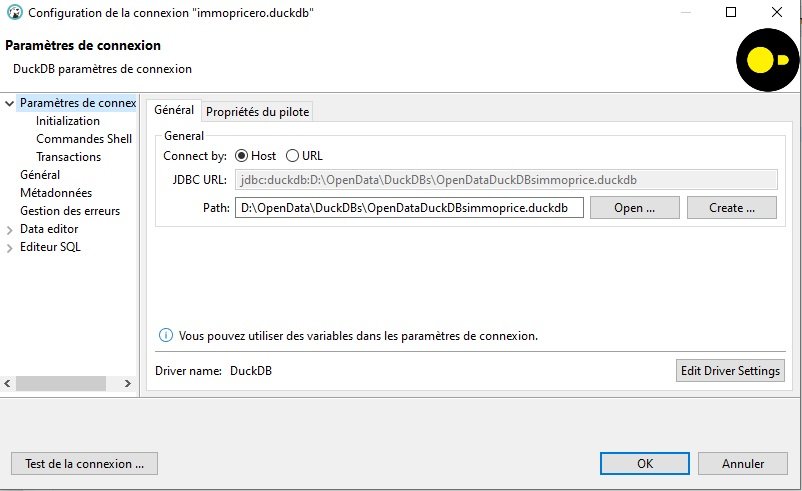
The file is suffixed by .duckdb but it not mandatory of courseAfter the connection is made you can create schema and tables and populate them using the DuckDB capacity to read csv.
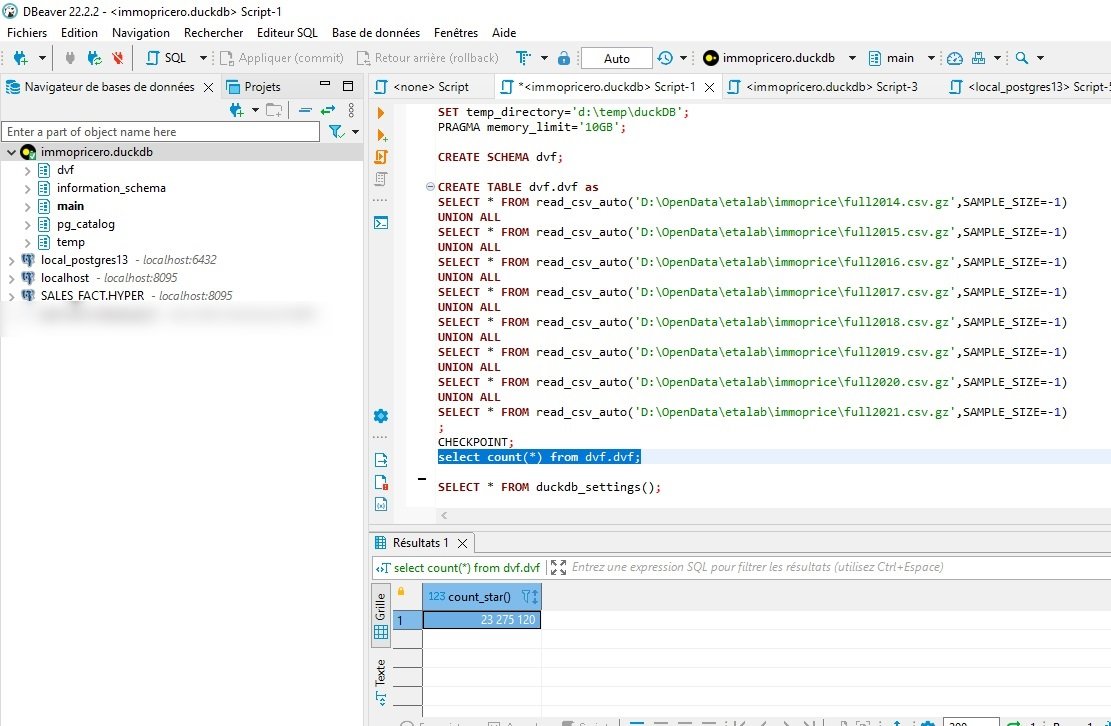
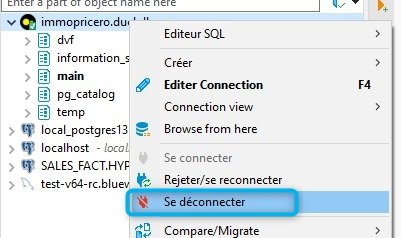
gz files (or parquet files if you prefer)After your data are ready, you can disconnect from your DuckDB file and close DBeaver
Let's move to Tableau now
In order to use jdbc drivers from databases that are not natively included in Tableau Desktop, you will need to **copy t
he duckdb_jdbc-x.
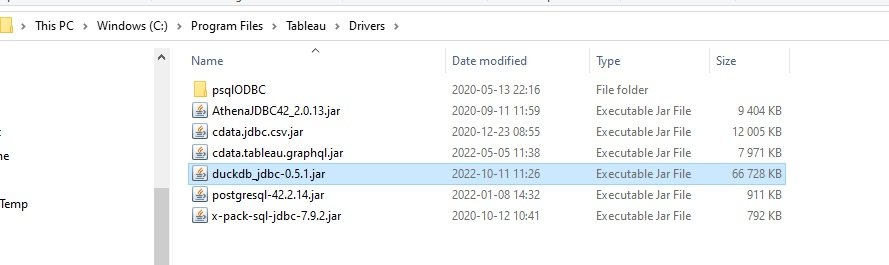
x.x.jar file** (you have downloaded from Maven Repo) in the Drivers Directory of Tableau Desktop (in C:\Program Files\Tableau\Drivers for windows users)Connect to a JDBC DatasourceNow you can configure a url like this : jdbc:duckdb:D:\OpenData\DuckDBs\OpenDataDuckDBsimmoprice.
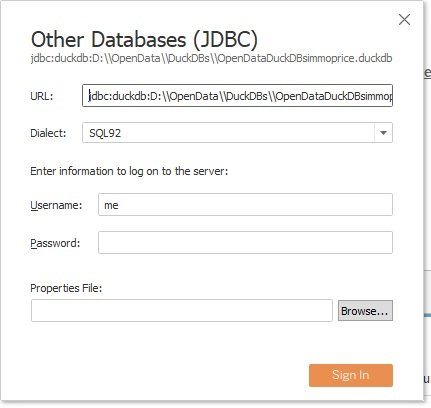
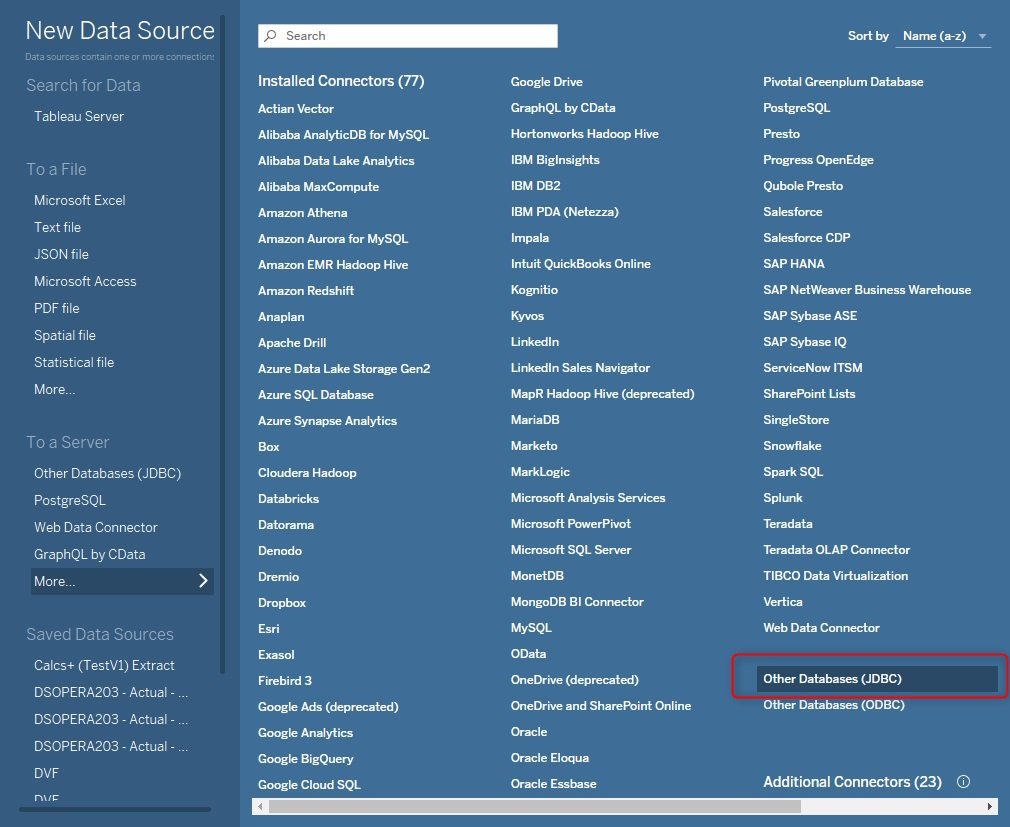
duckdb
We are now connected to DuckDB using Tableau Desktop !
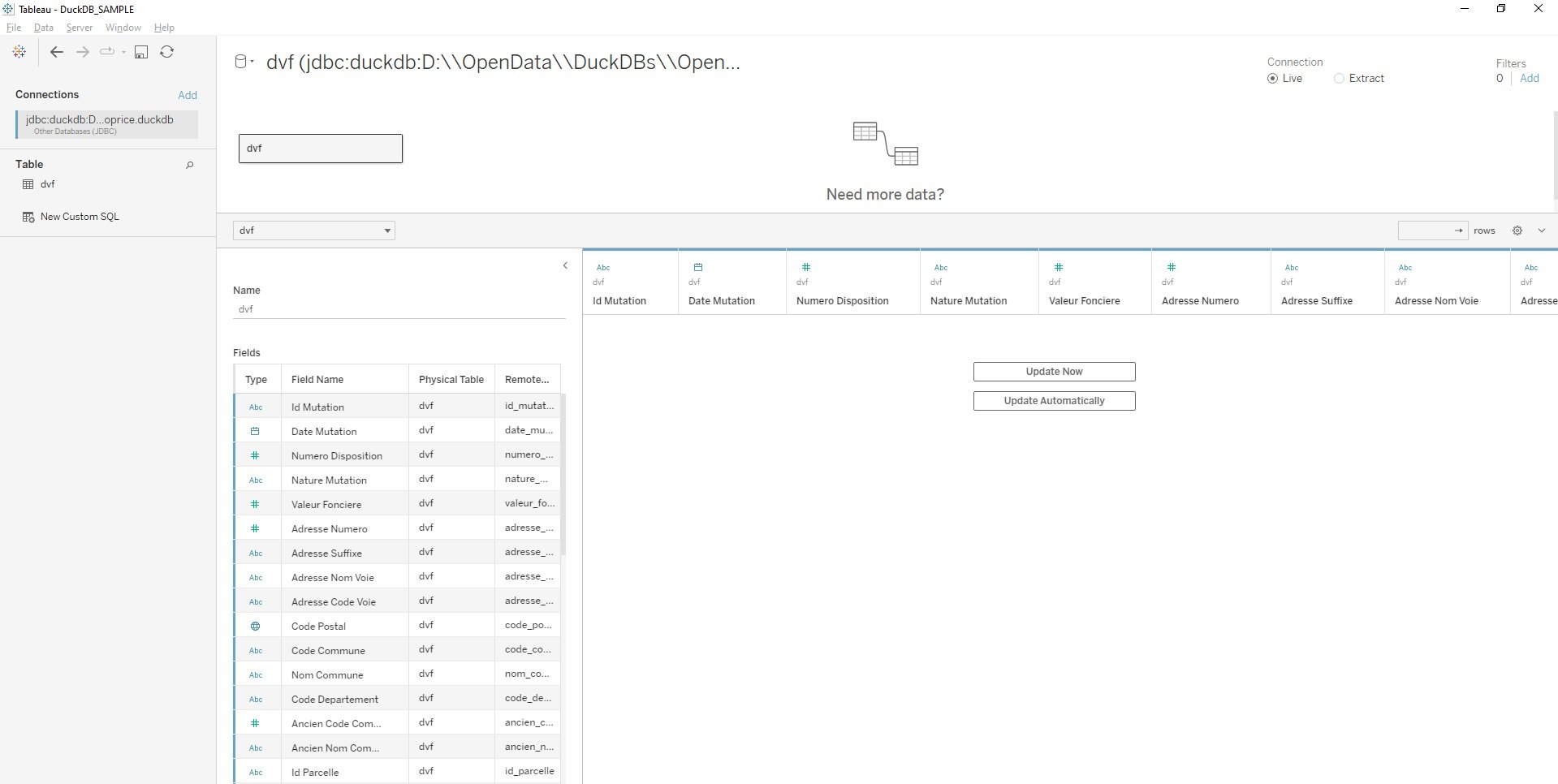
Connected !Our first Tableau dashboard using DuckDB data !
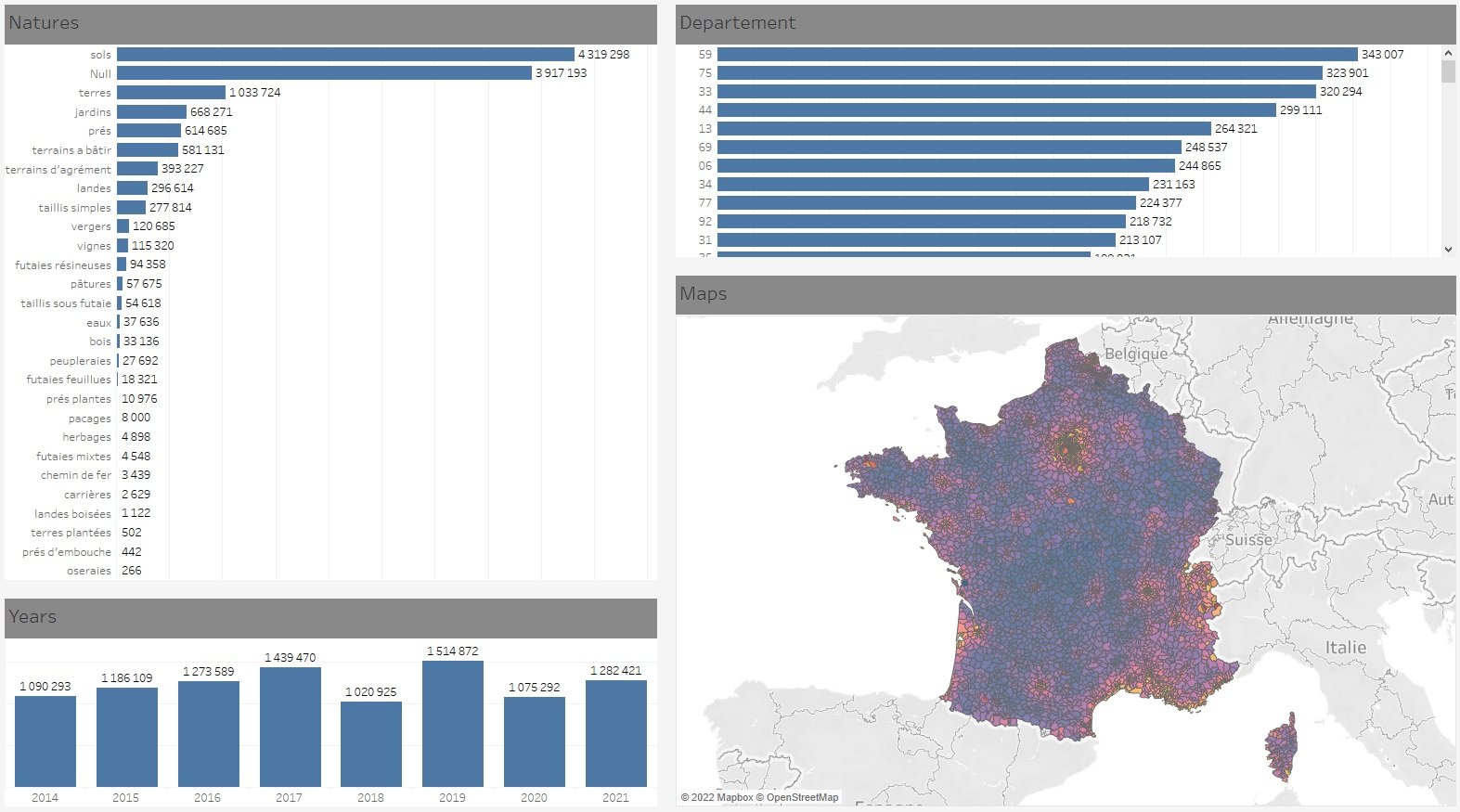
But, JDBC datasources are limited :-/
You will quickly see that JDBC datasources are limited using Tableau compare to other datasources like Hyper (the internal database of Tableau, also very fast !). Some operations are not possible like SUM(COLA + SQRT(COLB)) or MEDIAN Aggregate are not available with JDBC datasource. May be the TACO (Connector SDK) definition could help, but it's another story.
Updates with MotherDuck Taco connector
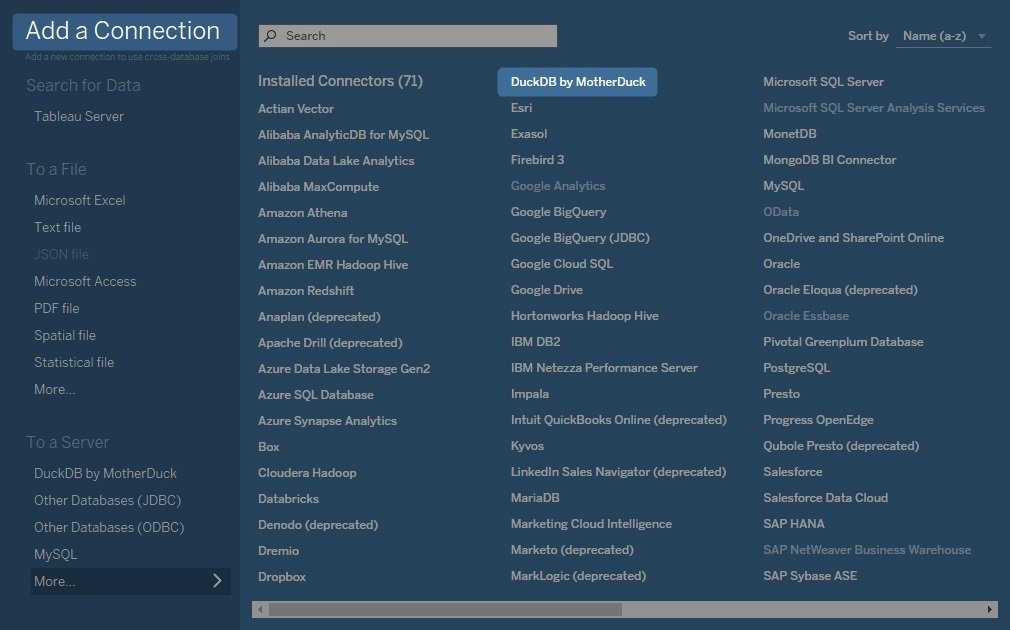
It is now much easier to connect to local DuckDB or to MotherDuck Cloud using the Taco connector developped by motherDuck.
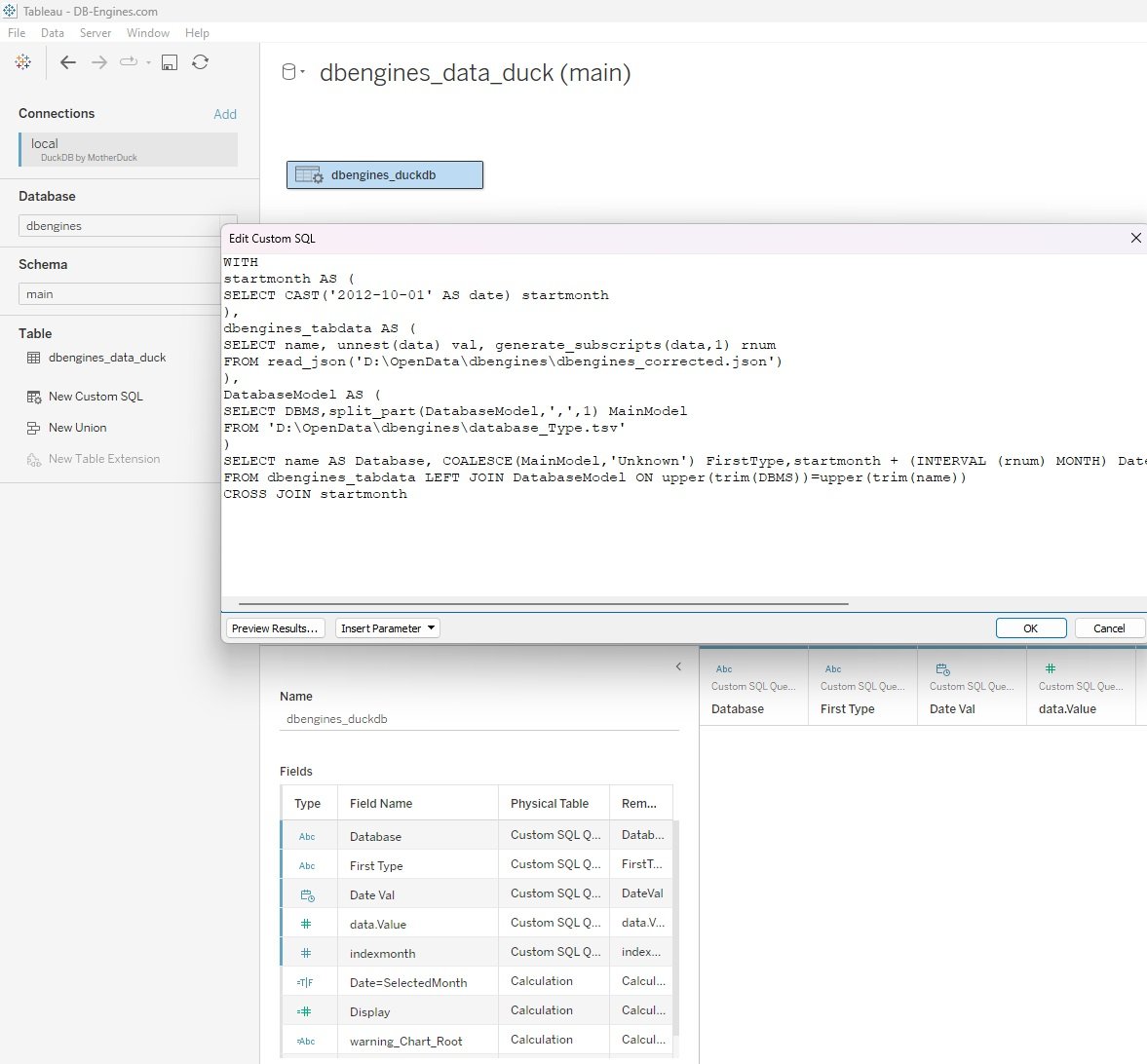
this allow to benefit of the richness of DuckDB functions In this exemple a use a custom duckdb query with a unnest function in duckdb and join with a tsv file


