

In this article, we’ll show you why traditional tools are no longer fit for today’s servers — and how FastTransfer and FastBCP were built from the ground up to embrace modern parallel data movement.
Introduction
In today’s world of data-intensive applications, CPU performance keeps growing — yet your data transfers may still feel sluggish. Why?
Because while processors have gained more cores year after year, most data migration or export tools are still single-threaded, stuck in a frequency plateau.
This article shows why legacy tools can’t keep up — and how FastTransfer and FastBCP bring you effortless, professional-grade parallelism, with just a single command.
CPU history and the problem with single-threaded data tools
If we imagine the performance of a CPU like a horse power of a car (one metric) : we could imagine that the program performance will increase exponentially like CPU power, But the reality is more subt
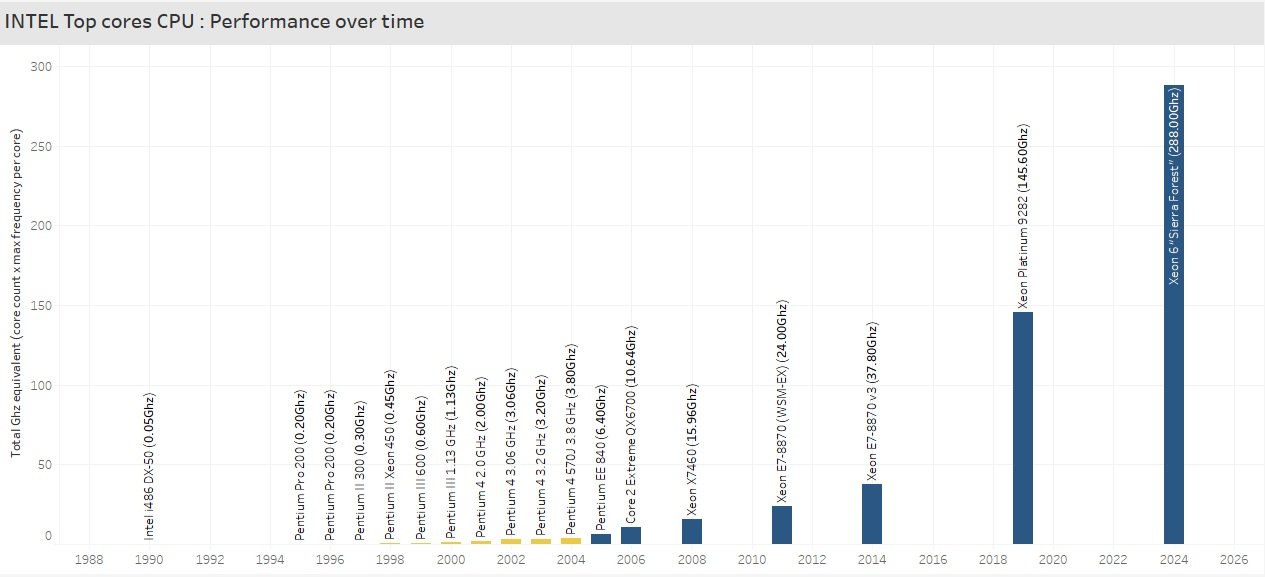
ile
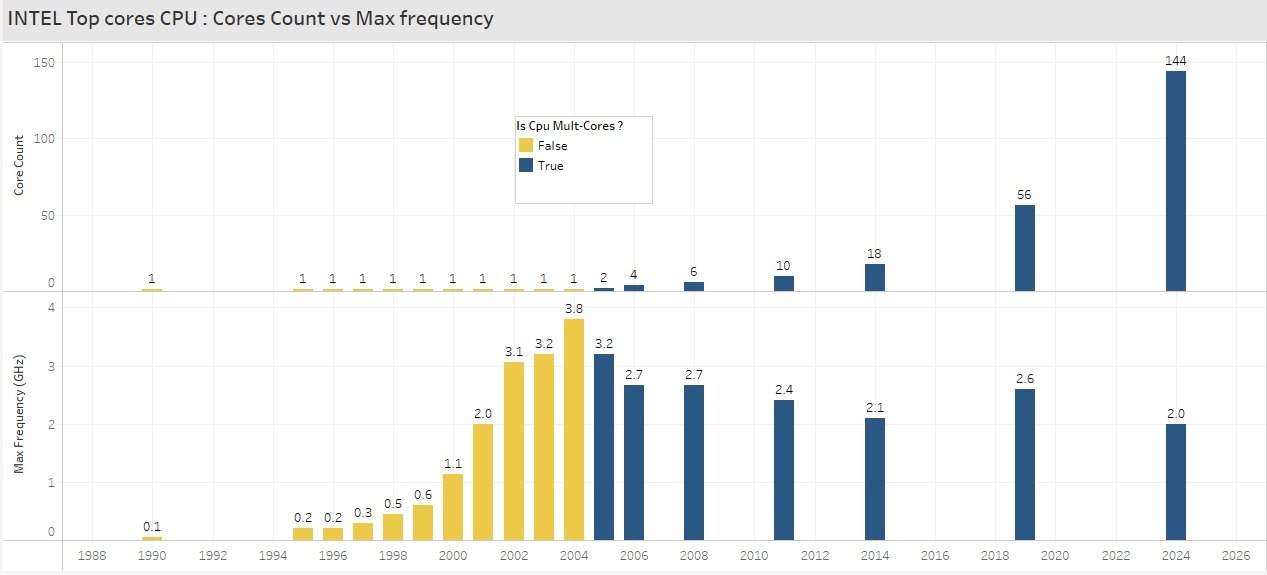
For over a decade, CPU clock speeds have plateaued — while the number of cores has exploded.
Yet many traditional data movement tools remain single-threaded. They can only use one core at a time, regardless of your hardware. This means you're using only ~5% (or less) of your modern CPU during large exports or transfers.
Parallelism Is the Answer — But Not the Easy One
Of course, you can split your export manually.
Build a set of scripts.
Slice your data into chunks.
Handle errors, retries, logging, and maybe try to squeeze a few more cores.
But this quickly turns into a complex orchestration task — hard to maintain, hard to scale, and hard to get right.
FastTransfer & FastBCP: Parallelism Without the Pain
That’s exactly why FastTransfer (for DB-to-DB transfers or File-to-DB) and FastBCP (for parallel exports) were created.
Both tools can use parallel execution very easily, splitting your workload intelligently across multiple threads.
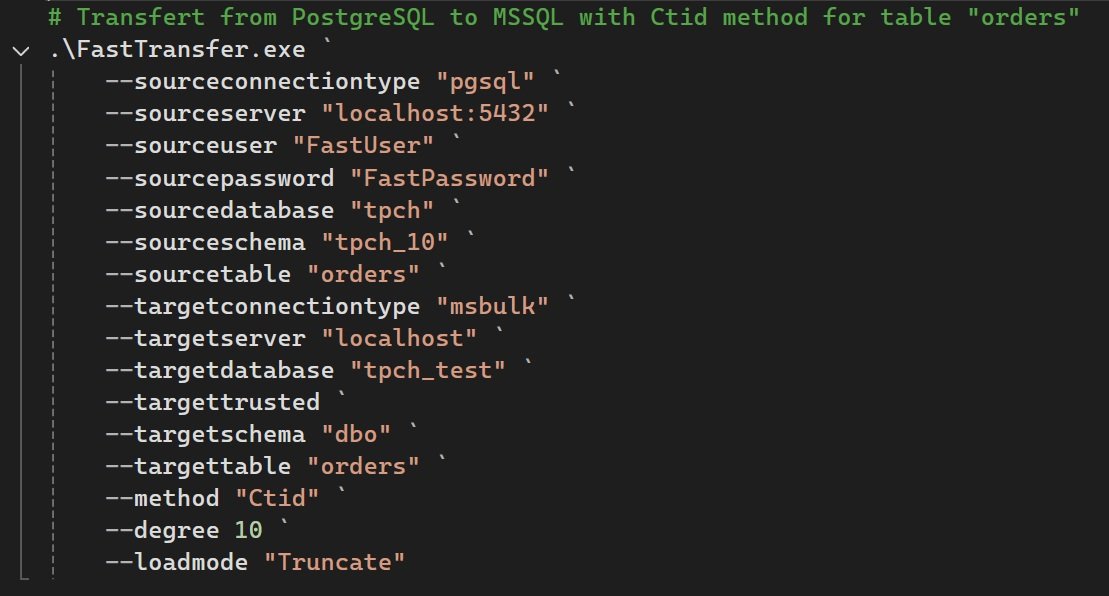
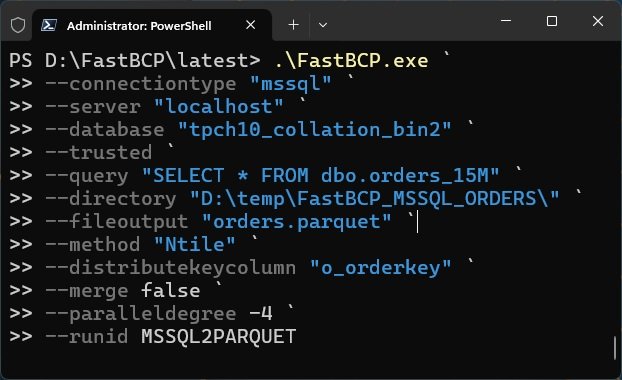
And it’s ridiculously simple to use:
For FastTransfer (File-to-DB or DB-to-DB)
For FastBCP (export)
One tool : several databases
One advantage with FastTransfer or FastBCP is that you can use them to batch transfer , import or export, in parallel from and to several databases.
**FastTransfer is CLI that work on Linux & Windows and can source and target several databases.
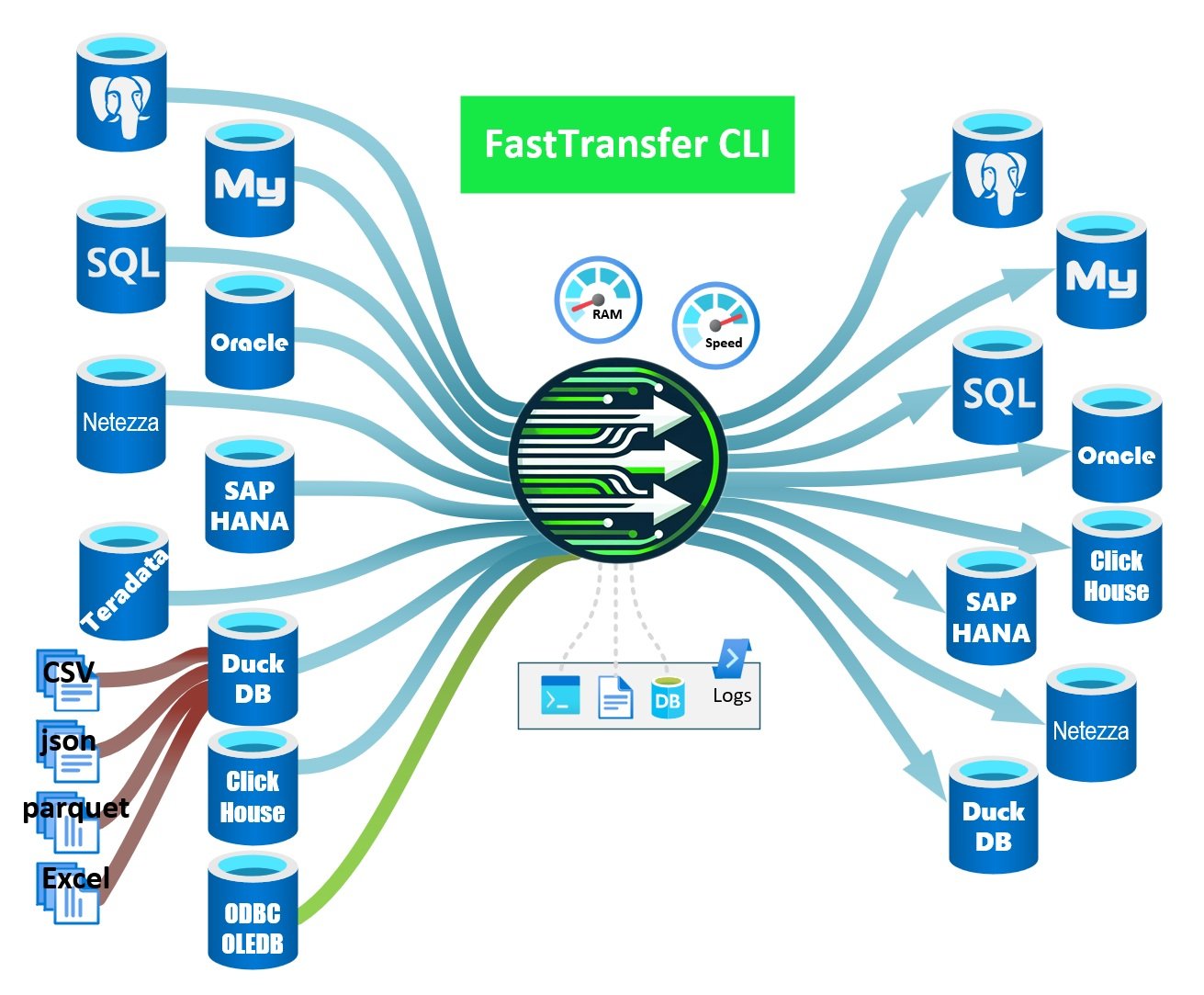
** No need to install any db driver, they are already included in the product
**FastBCP works on Linux and Windows with several databases as source and several file format as target.
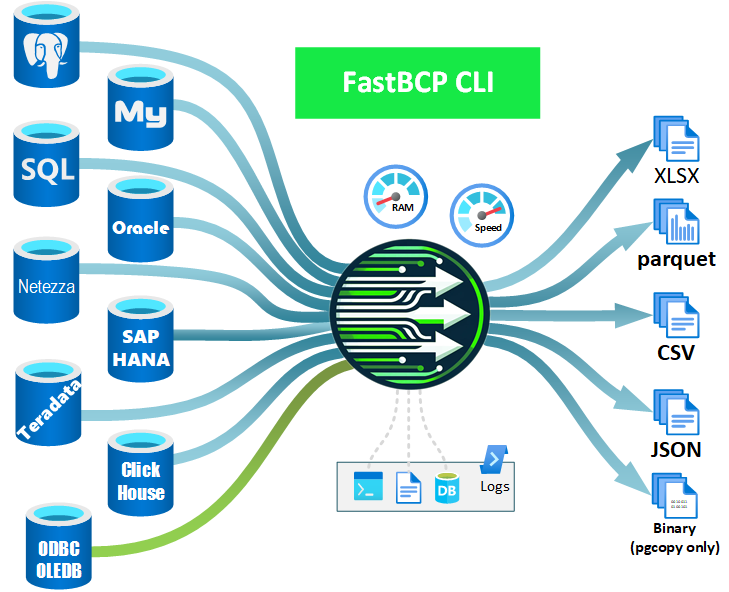
No need to install any db driver, they are already included in the product**
Real-World Use Cases
**1.
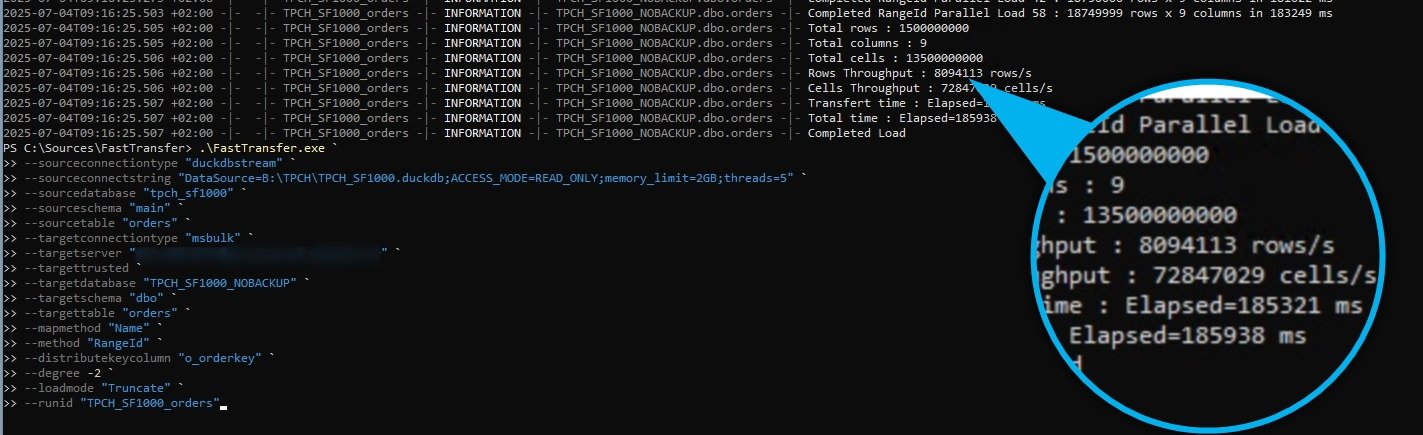
5Billion rows load in 3 minutes** from one duckdb file to mssql server 2022FastTransfer used throught our free and open source CLR Wrapper procedure.
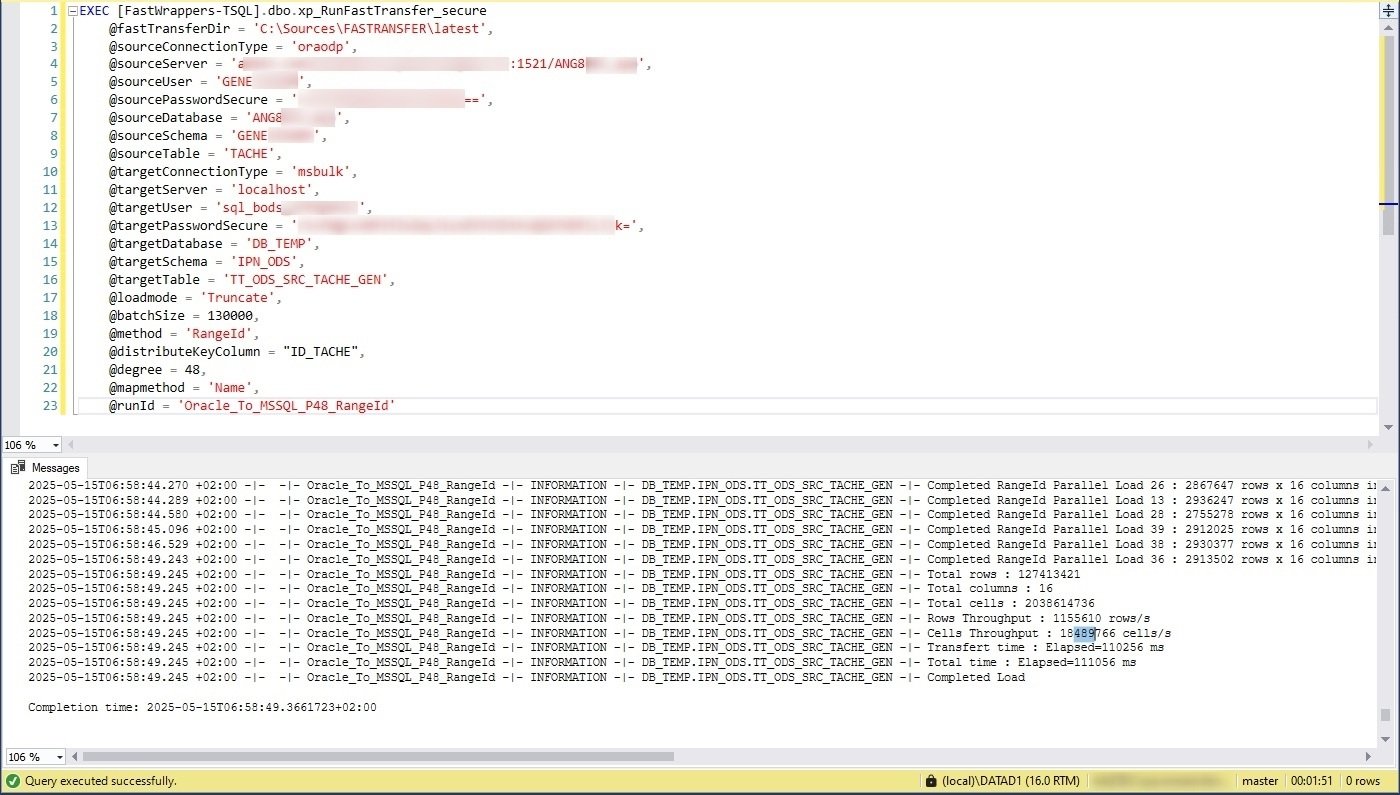
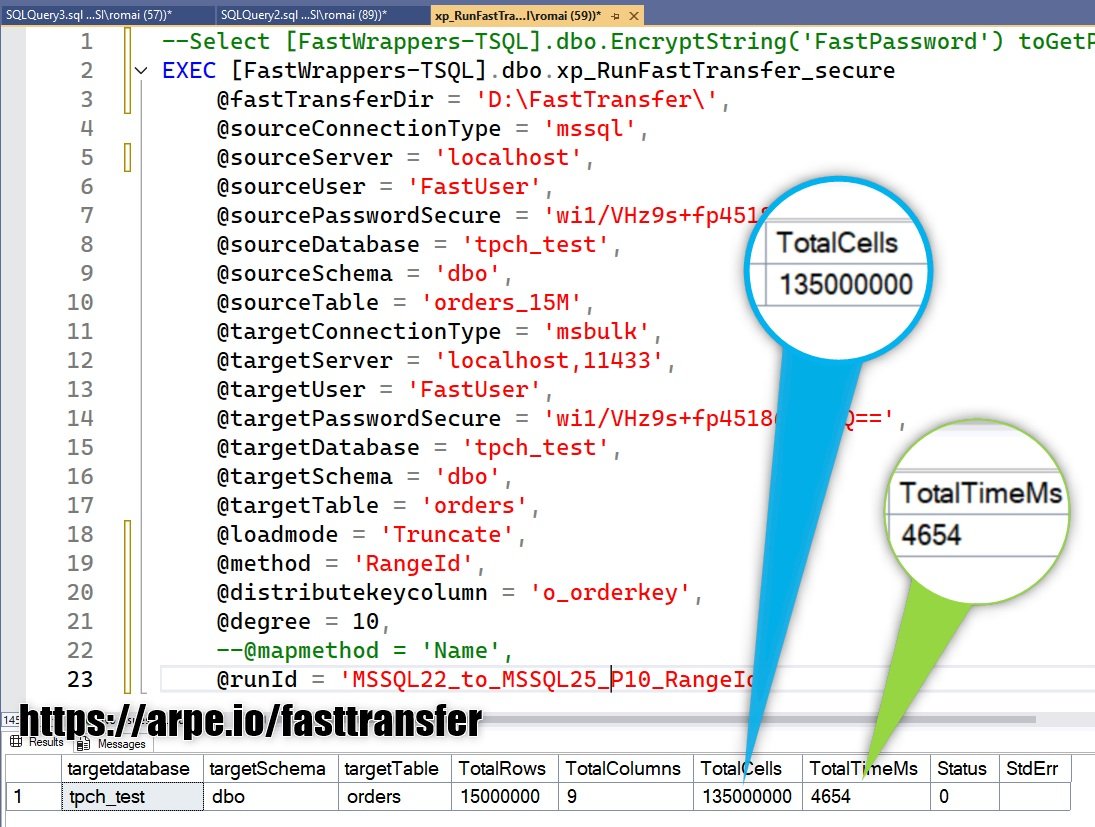
Copy between 2 MSSQL Server instances : 135M cells in 4.6sFrom Oracle to SQL Server 2 Billions cells moved in 1min50s using 48 threads/sessions. Still using our extended procedure wrapper
Conclusion
Don’t let your powerful server sit idle while moving data.
FastTransfer and FastBCP give you the performance of parallelism without the headache — so you can focus on results, not plumbing.


