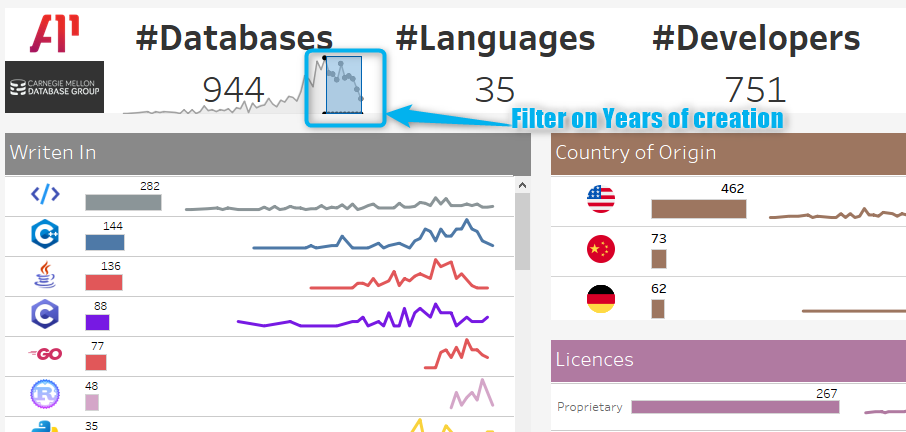
After extensively delving into the database world through dbdb.io and enjoying numerous online courses that delve deep into databases (a subject I'm truly passionate about), I thought it would be a fitting gesture to give back to someone I greatly admire, Andy Pavlo. I decided to accomplish this by creating a dynamic and free dashboard using the very data from the Database of Databases : the Database of Databases Dashboard Simply click, search, and explore the latest databases, filter them by the country of origin or the programming language they utilize, or combine these criteria. The possibilities are limitless.On the dashboard, you can filter each charts and the databases list by clicking on any chart.
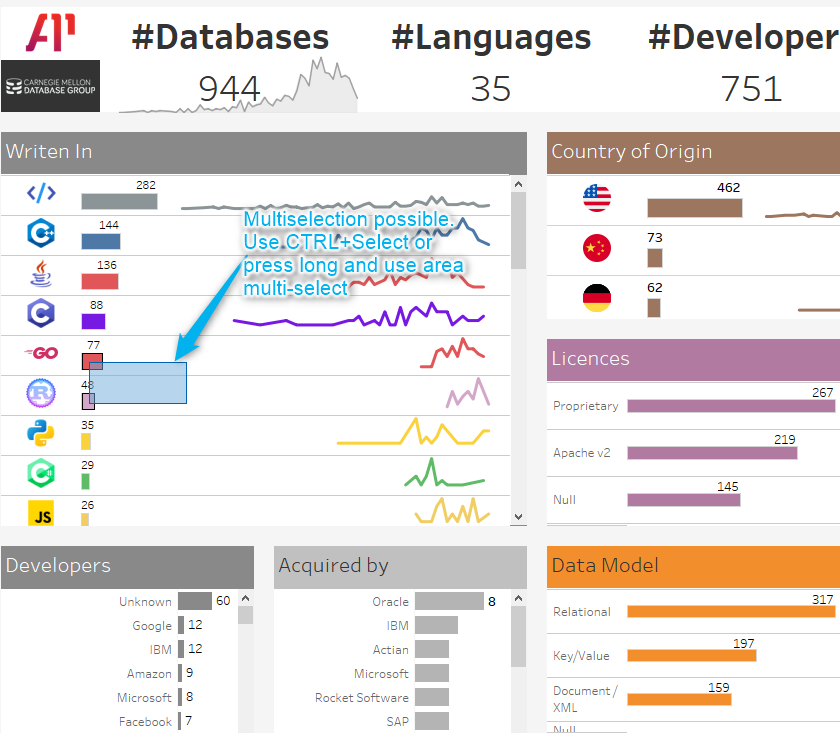
Multi-selection is possible using CTRL+Select or Area-SelectionOnce a filter is done on a dimension (programming language for exemple) you can add other filter by clicking on another chart.
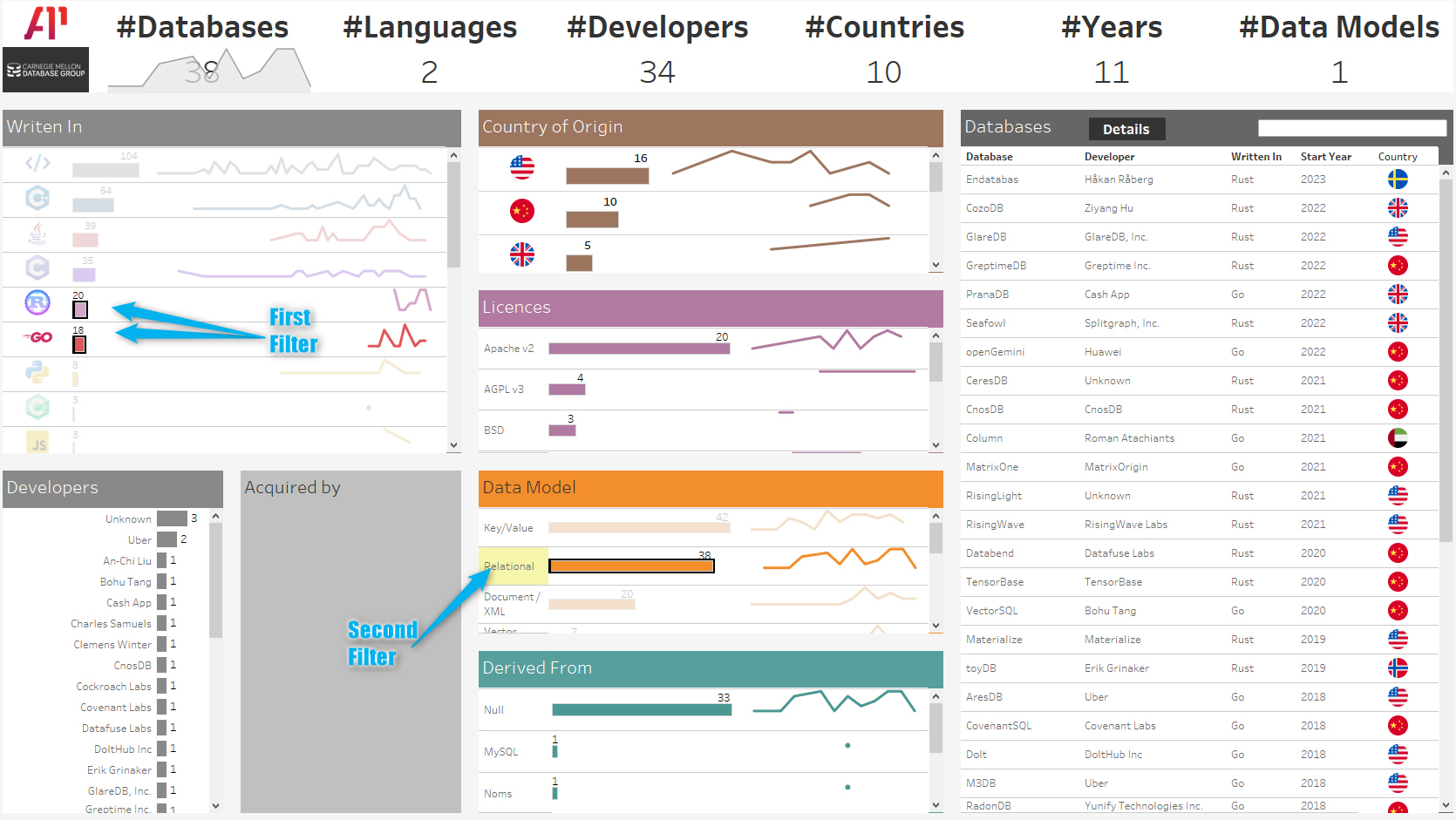
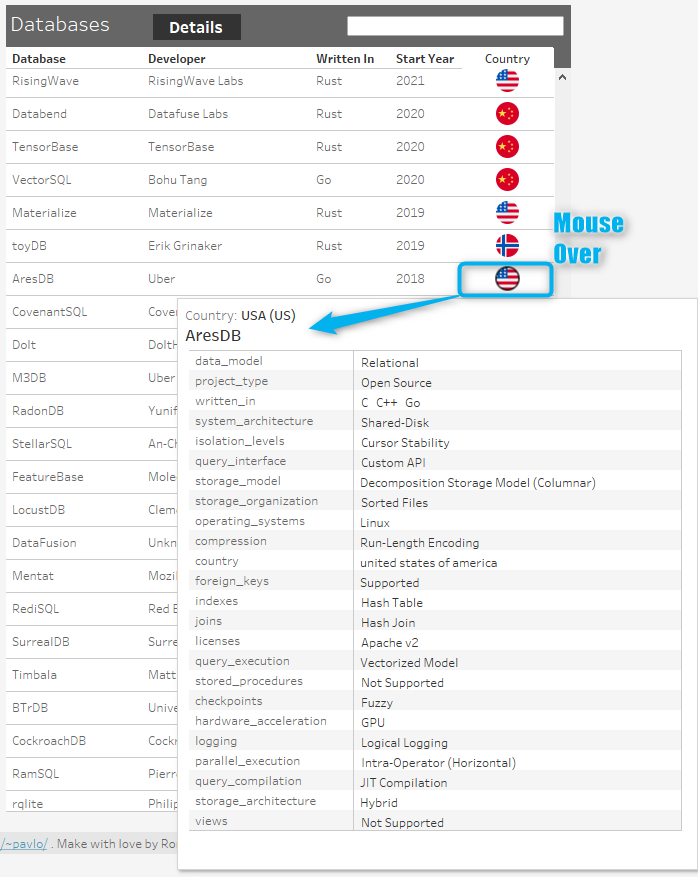
All chart will adapt to your current selection.On the databases list on the right you can make a mouse over on the country flag to display the database card.
If you have selected a database row in the database list you will be able to see links to the dbdb.
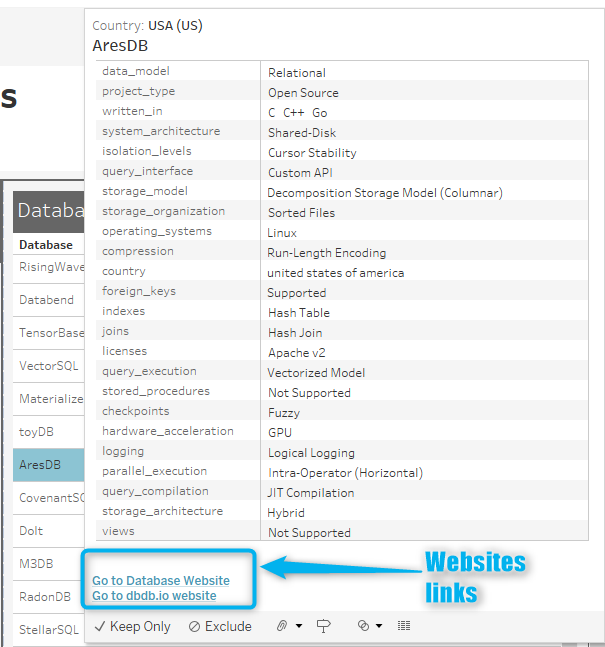
io website and the direct link to the database website itselfYou can also filter on the year of creation using area selection on the sparkline at the top left of the dashboard
Now it's your turn to play with the dynamic dashboard : Database of Databases Dashboard